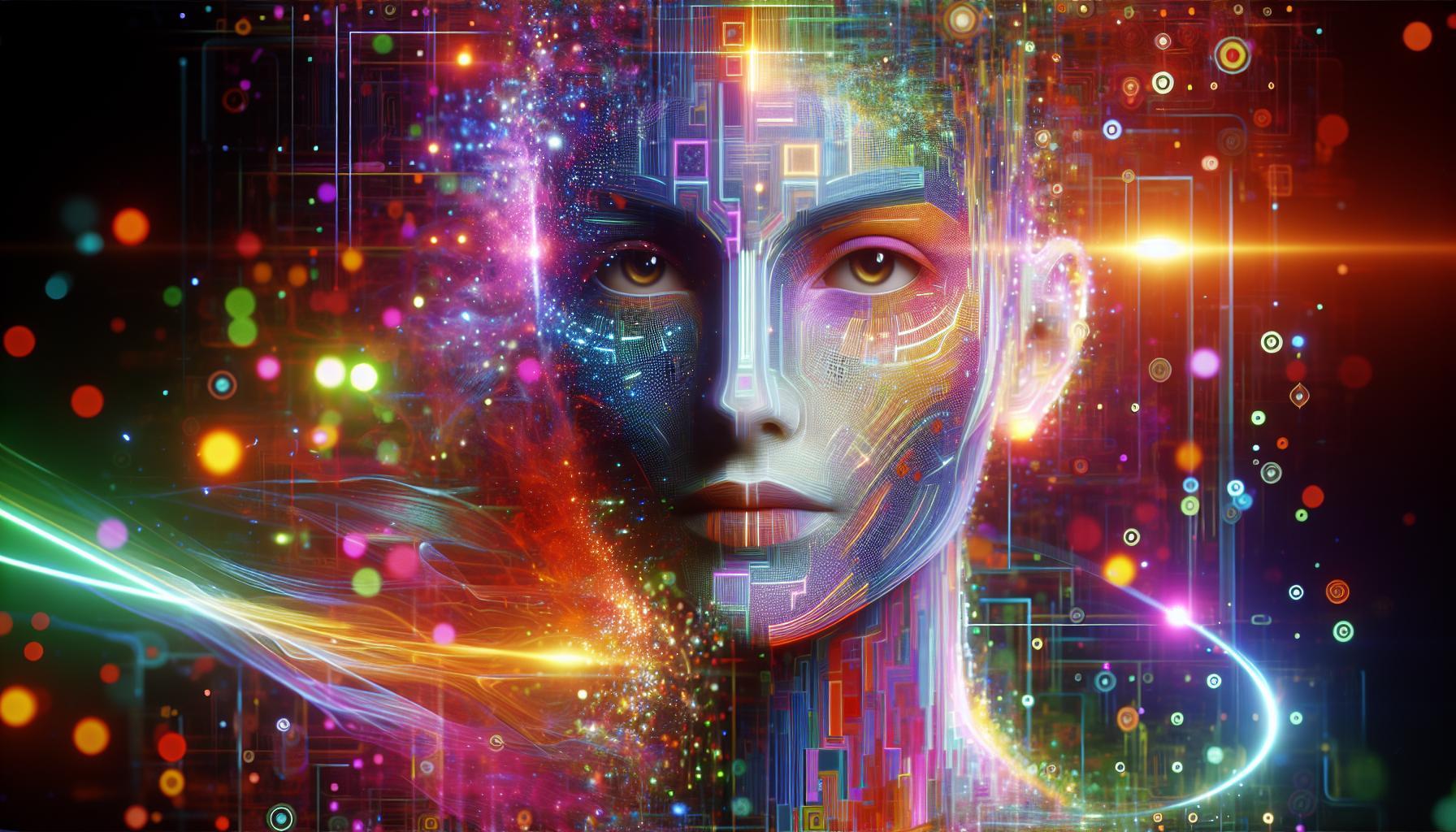

Capturing lifelike portraits in digital art can often feel elusive, leaving creators frustrated with their results. Mastering photorealism in platforms like Midjourney is not just a skill-it’s an art form that enhances storytelling and expression. This guide reveals essential techniques to achieve stunningly realistic images that truly resonate.
Understanding Photorealism in AI Art Generation

To grasp the essence of photorealism in AI art generation, it’s important to recognize the intricate relationship between technology and artistic expression. In recent years, advancements in artificial intelligence have revolutionized how we approach the creation of digital art, leading to the emergence of tools like Midjourney. These platforms allow artists and enthusiasts alike to transform their ideas into hyper-realistic portraits, achieving results that can often confuse the line between human-made art and machine-generated imagery.
What is Photorealism in AI?
Photorealism refers to a genre of art where the goal is to create images that are so lifelike they resemble high-resolution photographs. AI algorithms trained on extensive datasets can achieve this effect by learning the nuances of human features, textures, and lighting. In the context of AI art generation, achieving photorealism involves several key components:
- Data Quality: The more diversified and high-quality the training images, the better the AI can emulate real-world visuals.
- Rendering Techniques: Employing advanced rendering techniques allows for intricate details that capture shadows, reflections, and skin textures accurately.
- User Input: Users who understand how to provide effective prompts or specifications can help guide the AI to create desired outcomes, resulting in more personalized and realistic portraits.
Techniques for Using Midjourney to Achieve Realistic Portraits
To effectively harness Midjourney’s capabilities for creating stunning portraits, consider the following techniques that enhance photorealism:
- Detailed Descriptions: When using prompts, provide as much detail as possible about the subject’s appearance, mood, and background. For instance, specify hair color, eye shape, and lighting conditions.
- Reference Images: Incorporate reference images into your prompts when possible. This can guide the AI in terms of the style and realism you wish to achieve.
- Iterative Refinement: Don’t settle for the first render. Use iterative feedback loops where you refine your inputs based on the outputs received, honing in on what aspects need adjustment.
| Technique | Description |
|---|---|
| Detailed Descriptions | Craft prompts that detail every aspect of the desired portrait. |
| Reference Images | Provide images that serve as a model for your creation. |
| Iterative Refinement | Use the outputs as a basis for further refinements and tweaks. |
By understanding the art of photorealism and effectively leveraging AI tools like Midjourney, artists can create extraordinary lifelike portraits that push the boundaries of digital art. Engaging with these techniques not only enhances the final product but also deepens the artist’s connection to their work, blending technology and creativity in a transformative way.
Essential Tools and Settings for Stunning Portraits in Midjourney
Creating stunning portraits in Midjourney relies heavily on the right tools and settings. Just like a skilled painter selects the perfect color palette and brushes, mastering a few essential aspects can transform your AI-generated images into captivating artworks. The power of a realistic portrait lies not only in the intricacies of facial features but also in the atmosphere and mood conveyed through your choices.
Key Tools for Portrait Creation
To achieve photorealistic results, familiarizing yourself with the toolbox available in Midjourney is fundamental. Here are some essential tools and settings to explore:
- Aspect Ratio: The aspect ratio significantly influences the composition. For portraits, a 4:5 or 2:3 ratio often works best to emphasize the subject.
- Style Parameters: Experiment with style parameters to fine-tune the aesthetics of your portraits. Whether you prefer a soft, dreamy look or a crisp, vivid portrayal, adjusting these settings can make a considerable difference.
- Lighting Adjustments: Natural-looking portraits often depend on lighting. Utilize tools to mimic soft, diffused light or create dramatic shadows, depending on the mood you want to set.
- Facial Feature Customization: Pay attention to how Midjourney allows you to edit and customize features like eyes, lips, and skin texture for a more lifelike appearance.
Settings to Enhance Realism
Selecting the right settings in Midjourney is as crucial as the tools you use. Below are some recommended configurations that can help elevate the realism of your portraits:
| Setting | Description | Recommendation |
|---|---|---|
| Chaos Level | Makes the model more creative or experimental. | Low (0-20) |
| Quality Setting | Controls the rendering level and detail. | High (2 or more) |
| Stylize | Boosts artistic expression vs. realism. | Medium (50-100) |
| Human Anatomy | Ensures correct body proportions and detail. | Enabled |
By strategically using these tools and settings in Midjourney, you can effectively calibrate your process on how to get realistic portraits in Midjourney. With practice, you’ll unveil your unique style while achieving photorealistic results that resonate with viewers. Remember, the art of creating stunning portraits is both an exploration and a reflection of your creative vision.
Crafting Realistic Features: Tips for Capturing Lifelike Expressions

To create portraits that resonate with viewers, one must dive deep into the nuances of human expression. The careful crafting of realistic features-whether capturing a slight furrow in a brow or the glint of joy in someone’s eye-can significantly elevate the quality of portraits in any artistic endeavor, especially when using tools like Midjourney. By focusing on lifelike expressions, artists can forge a connection between their work and the audience, evoking genuine emotion and interest.
### Understanding Facial Anatomy
A fundamental aspect of achieving realistic expressions is a thorough understanding of facial anatomy. Familiarizing yourself with key landmarks, such as the placement of the eyes, nose, and mouth, allows for a more accurate portrayal. Consider these key aspects:
- Proportions: Pay attention to the distances between features, such as the space between the eyes and the width of the mouth.
- Muscle Movements: Knowing how muscles contract and relax can help depict emotions more accurately, giving vibrancy to your portraits.
- Subtle Details: Features like wrinkles, dimples, and the texture of skin can add layers of realism that draw viewers in.
### Capturing Emotion Through Expression
When exploring how to get realistic portraits in Midjourney, think about the range of human emotions conveyed through facial expressions. Here are some key tips to keep in mind:
- Study Reference Images: Use a high-quality reference to observe how different expressions are formed. This could be photographs, illustrations, or even real-life models.
- Experiment with Angles: Changing the angle from which you capture your subject can influence the expression portrayed and enhance its realism.
- Facial Dynamics: Familiarize yourself with the concept of “emotional wrinkles”-the unique lines that form when people smile, frown, or look surprised.
### Elements of Depth and Detail
Incorporating depth and detail is vital to achieving photorealistic results. Pay attention to elements that can enhance the three-dimensional quality of your portrait:
| Element | Effect on Realism |
|---|---|
| Lighting: | Strategically placed light creates shadows that enhance contours, adding dimension. |
| Color Grading: | Realistic skin tones and gradients can breathe life into the character of your portrait. |
| Texture: | Detailing for skin texture and hair adds authenticity. |
By focusing on these aspects, you’ll find that the portraits you create reflect not only physical likeness but also emotional depth, resulting in a more engaging and lifelike work of art. Engaging with these techniques will help you master how to get realistic portraits in Midjourney, ensuring each piece is a true portrait of humanity.
Lighting and Composition Techniques to Enhance Your Portraits

Creating stunning portraits relies heavily on the interplay of lighting and composition. Mastering these elements can transform a simple image into a captivating masterpiece. Whether you’re using a professional camera or an AI tool like Midjourney, understanding how light can shape emotions and enhance features is essential for achieving photorealistic results.
Understanding Lighting
Lighting is perhaps the most crucial aspect of portrait photography. The way light interacts with your subject can accentuate features or create dramatic shadows. Here are several key lighting techniques to consider:
- Natural Light: Utilizing sunlight can produce a soft, flattering effect. Position your subject to face the light, or use it from the side for deeper shadows and a more three-dimensional look.
- Three-Point Lighting: This technique involves key, fill, and back lights. The key light is your main source, while fill light softens shadows and backlight adds depth, helping subjects stand out against backgrounds.
- Rembrandt Lighting: Named after the painter, this technique creates a triangle of light on the subject’s cheek, offering a classic and dramatic look. It’s achieved by placing the key light at an angle to your subject.
Experiment with different lighting setups in Midjourney to see what resonates best with your artistic vision.
Crafting Composition
Composition is about how you frame your subject and the elements within the scene. A well-composed portrait can draw the viewer’s eye and tell a story. Here are some strategies to enhance your compositions:
- Rule of Thirds: Divide your frame into three equal parts, both horizontally and vertically. Positioning your subject at the intersections creates balance and draws attention.
- Leading Lines: Use natural lines in your surroundings, such as roads, paths, or architectural edges, to guide the viewer’s gaze towards your subject.
- Negative Space: Leaving ample space around your subject can emphasize their importance and invoke a sense of contemplation, allowing the viewer to focus entirely on them.
Quick Tips for Midjourney Users
If you’re exploring how to get realistic portraits in Midjourney, apply the principles of lighting and composition effectively. Here’s a simple table to help you keep track of your adjustments:
| Technique | Adjustment in Midjourney |
|---|---|
| Natural Light | Utilize prompts that emphasize ”daylight” or ”soft light” to replicate natural conditions. |
| Three-Point Lighting | Incorporate lighting descriptions like ”key light at 45 degrees” and ”fill light” in your prompts. |
| Rule of Thirds | Specify composition in your prompts, such as ”subject off-center” to create dynamic imagery. |
By integrating these lighting and composition techniques, you’ll be well on your way to elevating your portraiture to realistic heights. Explore various settings, practice consistently, and let your creativity guide you in the world of photography with Midjourney.
Incorporating Textures and Details for Authentic Results

To achieve stunningly realistic portraits in Midjourney, the importance of incorporating diverse textures and intricate details cannot be overstated. The way light interacts with various surfaces, whether it’s skin, hair, or clothing, plays a crucial role in achieving a lifelike representation. By focusing on these elements, artists can elevate their work from simple images to compelling, photorealistic masterpieces that capture the essence of their subjects.
Understanding Textural Variety
Textures add depth and character to portraits. Each surface tells its own story; for instance, the soft sheen of a cheek, the coarse fibers of a wool sweater, or the glossy finish of a styled hairdo. To effectively integrate textures, consider the following strategies:
- Observe Real-Life Examples: Analyze photographs or real individuals in various lighting conditions to identify how textures are portrayed. Take notes on how light interacts with different features.
- Utilize Texture Brushes: Incorporating custom texture brushes in Midjourney can help emulate realistic fabric, skin pores, and hair strands. This adds an organic feel to your artwork.
- Layering Techniques: Use multiple layers to build complexity in textures. For instance, layering subtle washes of color can create the illusion of depth in skin tones.
Enhancing Details for Depth
Detail is a critical component in producing incredibly realistic portraits. Every small detail contributes to the overall authenticity of the image. Focus on these aspects:
- Facial Features: Pay attention to the intricacies of the eyes, lips, and nose. Adding fine details like eyelashes, reflections in the eyes, or slight variations in lip color can dramatically improve realism.
- Skin Texture: Implement techniques such as skin mapping, where you emulate pores, freckles, or subtle wrinkles, capturing the unique qualities of age or character.
- Lighting and Shadows: Consider how shadows fall on the face and how highlights accentuate cheekbones and brow ridges. Realistic lighting can often make or break the authenticity of a portrait.
Utilizing Color Dynamics
A well-balanced color palette enhances both texture and detail, making portraits feel more alive. When assessing color:
- Realistic Skin Tones: Use a variety of colors rather than relying on a singular hue for skin. Incorporate subtle shifts in color to represent different undertones and shadow placements.
- Clothing Color Coordination: Ensure clothing colors complement the subject’s features. This helps draw focus to the face while providing context to the image.
- Environment Interaction: Consider subtle color reflections from the background that might influence the subject’s appearance, enhancing authenticity.
By effectively utilizing textures and details in your portraits, you can create a captivating, lifelike image that resonates with viewers. Implementing these strategies allows artists to achieve the sought-after photorealistic results in Midjourney, transforming everyday subjects into stunning visual narratives.
Experimenting with Styles: Finding Your Unique Artistic Voice
Artistic expression is a journey filled with experimentation and discovery. As creators, we often find ourselves in the midst of different styles, techniques, and methods, searching for that elusive signature that truly reflects our unique artistic voice. When exploring tools like Midjourney for crafting photorealistic portraits, it’s essential to not just mimic but develop your own approach to realism. Engaging with various styles can unlock new paths in your creative process, ultimately leading to more compelling and authentic work.
Explore Diverse Techniques
Begin by actively exploring a variety of artistic techniques. Whether it’s digital painting, traditional sketching, or employing AI-driven tools, engage with each method to understand its strengths and challenges. Consider the following steps to diversify your artistic repertoire:
- Study Inspirations: Look at the works of both classic and contemporary artists who excel in realism. Analyze their techniques and consider how you can incorporate aspects of their styles into your work.
- Mix Mediums: Don’t shy away from experimenting with different materials. For instance, combine traditional portraiture with digital enhancements in Midjourney to create unique effects.
- Practice Variation: Create multiple versions of the same subject using different styles. This might involve varying color palettes, brushwork techniques, or lighting scenarios within your portraits.
Fine-Tune Your Vision
As you continue experimenting, allow your creative instincts to guide your choices. Finding your unique voice involves fine-tuning your vision and understanding what resonates with you as an artist. Here’s how to ensure that your distinctive perspective shines through your artistic endeavors:
- Maintain a Sketchbook: Regularly jot down ideas, sketches, and thoughts about your artistic process. This will help you track your evolution and identify recurring themes that might inform your style.
- Gather Feedback: Share your work with trusted peers or community groups to gain insights into how your style is perceived. Constructive criticism can highlight elements you may not have noticed.
- Document Your Journey: Create a portfolio that not only showcases your finished pieces but also includes earlier drafts, practice works, and notes on your creative process.
| Technique | Description | Potential Outcome |
|---|---|---|
| Layering | Build depth by applying multiple translucent layers of color or texture. | Creates rich, complex visuals that draw the viewer’s eye. |
| Color Theory | Use color schemes (complementary, analogous) to evoke specific emotions. | Enhances the mood and narrative of your portrait. |
| Dynamic Lighting | Experiment with light sources to add drama and dimension. | Increases realism and draws attention to focal points. |
By embracing a cycle of experimentation and reflection, you can discover and hone your own unique artistic voice, transforming the way you create and connect with your audience as you explore how to achieve stunningly realistic portraits with Midjourney.
Best Practices for Iterating and Refining Your AI-Generated Portraits
Creating stunning AI-generated portraits requires not only an understanding of the tools at your disposal but also a keen eye for detail during the refining process. Iterating upon your initial results can turn a good portrait into a truly exceptional one. By leveraging careful adjustments and utilizing feedback effectively, you can achieve the photorealistic results that many creators aspire to.
To begin refining your AI-generated portraits, consider these best practices:
- Start with High-Quality Inputs: The foundation of a great portrait lies in the quality of your initial image or text prompt. Use high-resolution photos and well-formulated prompts to ensure the AI has the best starting point.
- Experiment with Variations: Generate multiple versions of the portrait. Different prompts or variations of your input can lead to unexpected and interesting results, some of which may be more aligned with your vision.
- Utilize Feedback and Iteration: Share your portraits with a community or trusted peers for constructive feedback. Take note of common themes in the critiques, and use this information to guide your subsequent iterations.
- Adjust Key Parameters: Many AI tools allow you to fine-tune elements such as color balance, contrast, and brightness. Small adjustments in these areas can significantly enhance the visual impact of your portrait.
In addition to personal adjustments, you can benefit from examining successful portraits created by others. Analyze what makes their work stand out-be it color schemes, composition, or harmony in details. Incorporating successful strategies used by other creators can inform your own practice and help in mastering how to achieve realistic portraits in Midjourney.
Ultimately, the secret to achieving photorealistic results lies in persistence and a willingness to experiment. By understanding the nuances of the technology, gathering insights from others, and continuously adjusting your approach, you can transform your AI-generated portraits from ordinary to extraordinary. Remember, the goal is not just to replicate reality but to enhance and convey the essence of your subject through the unique lens of AI artistry.
Q&A
How to Get Realistic Portraits in Midjourney? Achieve Photorealistic Results?
To get realistic portraits in Midjourney, use detailed prompts that describe facial features, lighting, and style. Start by specifying the type of portrait you want, and include keywords like *photorealistic* and *hyper-realistic* to enhance the output.
For example, you could prompt: “Create a photorealistic portrait of a woman with curly brown hair, warm lighting, and a serene expression.” This level of detail guides the AI to generate images closely aligned with your vision. Additionally, using terms like *realism, depth of field*, and *vivid colors* can evoke more lifelike results.
What are the best practices for achieving photorealistic results in Midjourney?
Best practices for achieving photorealistic portraits in Midjourney involve precise prompt crafting and iterative testing. Start by experimenting with various descriptors for age, ethnicity, and emotional expressions.
Utilizing techniques like prompt chaining, where you build on past responses to refine details, can also improve outcomes. Don’t hesitate to review and adjust your prompts based on generated results to guide the AI further towards your desired effect.
Can I adjust the style of portraits generated in Midjourney?
Yes, you can adjust the style of portraits in Midjourney by altering descriptive phrases in your prompts. Including specific art styles or referencing famous artists can influence the output significantly.
For example, you might say, “Create a portrait in the style of *Rembrandt*, focusing on chiaroscuro effects.” This way, you can blend realism with specific artistic elements, enriching your results. Explore various styles to find what resonates with your creative vision.
Why does my AI attempt not always produce realistic portraits?
Reasons for less realistic portraits include vague prompts, over-simplified language, or lack of context. AI relies heavily on prompt details to generate high-quality images.
If a portrait turns out unsatisfactory, consider refining your instructions by including more specific characteristics or vivid adjectives. Consult guides on prompt enhancement to better understand effective phrasing and to engage deeply with the platform. This can help improve your results.
What can I do to improve my prompt crafting in Midjourney?
Improving your prompt crafting involves practicing clarity and specificity when describing your desired portrait. Break down elements like *expression, lighting, background*, and *color palette* for better outcomes.
Trying out different formats, such as bullet points for features, or even using a structure that outlines the desired emotions can be helpful. Always review the generated images and modify prompts iteratively until you achieve your preferred precision.
Can I use Midjourney for professional projects?
Indeed, you can use Midjourney for professional projects, as long as you abide by the platform’s terms and licensing agreements. Its ability to generate high-quality, realistic portraits can be invaluable for many creative industries.
Many professionals use Midjourney in fields like marketing, design, and entertainment. Make sure to always credit AI artwork where necessary and consider combining AI-generated images with traditional techniques for a unique touch. This can create compelling visual narratives and enhance your portfolio.
What techniques help in achieving lifelike skin textures in Midjourney portraits?
To achieve lifelike skin textures in Midjourney portraits, include specific terminology related to skin quality in your prompts. Use descriptors like *smooth, blemished, youthful*, or *aged* to inform the AI’s rendition.
Consider adding environmental elements that influence skin texture, such as *lighting conditions* and *shadows*. These elements help create depth and dimension that replicate real skin features, resulting in a more realistic appearance. Exploring prompt examples focusing on textures can also provide insights.
Future Outlook
In conclusion, achieving photorealistic portraits in Midjourney is not only possible but also an exciting journey of creativity and exploration. By mastering the key elements such as understanding AI prompts, leveraging reference images, and manipulating settings like resolution and stylistic influences, you can significantly enhance the realism of your AI-generated artworks. Remember, experimentation is essential-don’t hesitate to play around with different parameters to discover what works best for your unique vision.
As you continue your artistic exploration, consider joining online communities or forums where you can share your creations and learn from others. Engage with fellow artists to exchange techniques and tips, which can further refine your skills. The world of AI visual tools is vast and ever-evolving, so stay curious and keep pushing the boundaries of what you can create. Your next masterpiece is just a prompt away!